Clock Skew and Proxy Failures: TLS, JWT, Request Signatures, and One-Minute Diagnostics
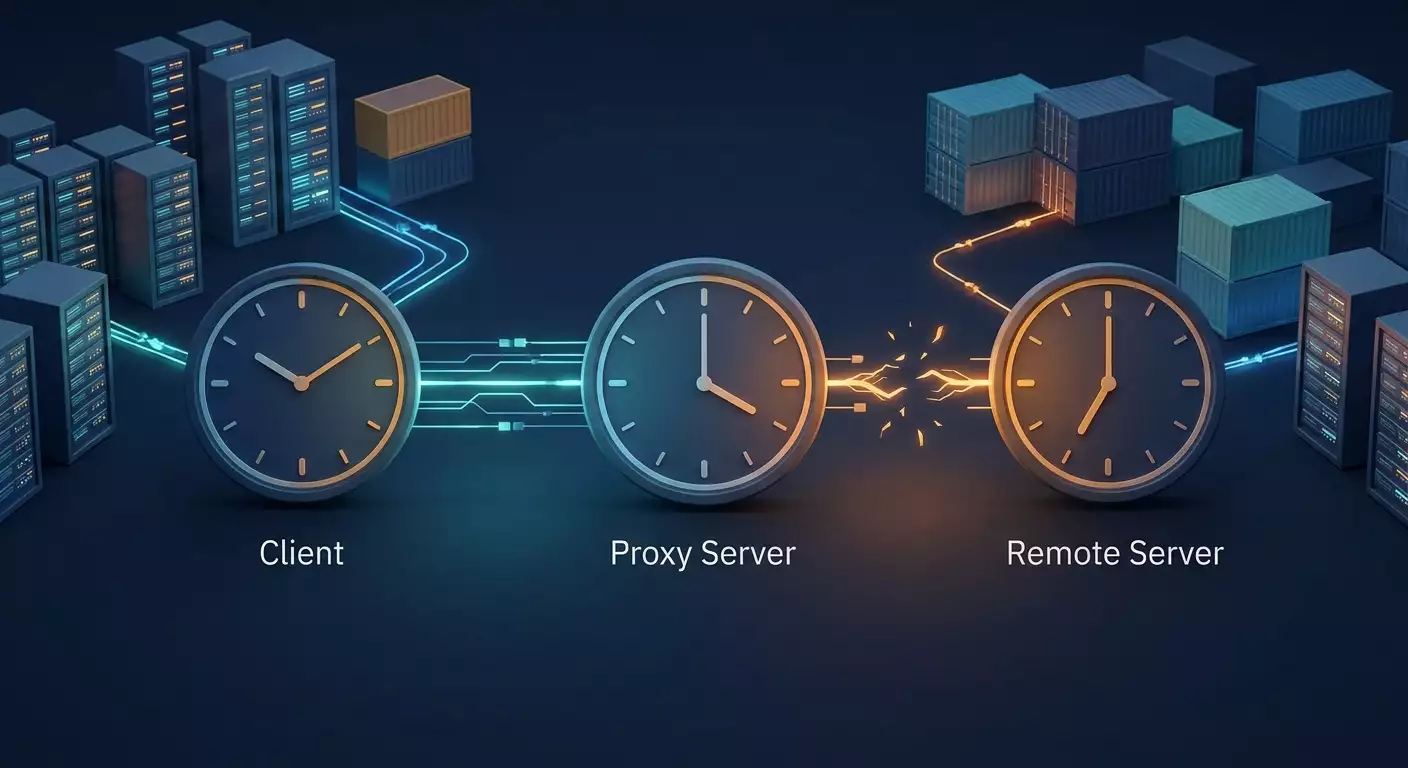
Table of contents
- Introduction: "it worked yesterday, today the certificate is invalid"
- Fundamentals: where time matters and why protocols even look at the clock
- Deep dive: whose clocks matter in the client — proxy — server chain
- What the error looks like in different clients: messages to recognize from the first line
- Why clocks drift: virtualization, containers, missing daemons, manual edits
- One-minute diagnostics: comparing against an external source and acceptable skew
- Setting up sync: systemd-timesyncd and chrony, and how to verify it really works
- Containers and clocks: what's inherited from the host and what isn't
- Common mistakes and real-world cases
- Tools and a checklist: "before you blame the proxy"
- Faq: common questions about time, proxies, and failures
- Conclusion: time as the first item in diagnostics
Introduction: "It Worked Yesterday, Today the Certificate Is Invalid"
There's a class of incidents that's better at hiding than any other. A script that's been going through a proxy to dozens of APIs for months suddenly starts failing on every single request. The log shows certificate has expired or certificate is not yet valid. The engineer opens the target site's certificate in a browser on their laptop: the validity period is fine, the trust chain is green. They rerun the script without the proxy from their laptop — it works. They turn the proxy back on — it fails again. The conclusion writes itself: the proxy is to blame.
And that conclusion is almost always wrong. It's not that the proxy "swaps the certificate" or "breaks TLS." It's that the script runs on a different machine — on a server, in a VM, in a container — and that machine's system clock has drifted. By a few minutes, hours, or days. The proxy just happened to be the most visible variable in the equation and took the hit.
We're going to cover this topic completely. You'll learn exactly where modern protocols depend on the current time and why clock shifts in different directions produce different symptoms. You'll see the specific error messages in curl, Python, and Node.js so you can recognize the problem from the first line of a trace. You'll understand why clocks drift specifically on virtual machines and in containers, and why having a sync daemon installed doesn't guarantee it's working. You'll get a one-minute diagnostic procedure, working chrony and systemd-timesyncd configurations, and a checklist to run through before you ever contact your proxy provider's support.
Let's set the boundaries up front. This article isn't about issuing certificates, trust chains, or root stores. We're looking at a single cause of failures — incorrect system time — and everything that follows from it when you're working through a proxy. It's a narrow topic, but it's the one that burns hours of debugging for teams doing integrations, monitoring, open data collection, and automation through proxy infrastructure like Proxeon.
Fundamentals: Where Time Matters and Why Protocols Even Look at the Clock
Let's start with a simple question. Why do network protocols need to know what time it is? There's one answer: to limit how long trust lasts. Any secret — a certificate, a token, a signature, a one-time code — can eventually leak. If it has an expiration date, the damage from a leak is bounded. But that expiry only works if the verifying party knows the current time. And it gets it from one place — the system clock of the machine running the check.
Hence a fundamental consequence: every time check is local. The server doesn't ask the client what time it is. The client doesn't ask the server. Each one looks at its own clock and draws a conclusion. If the two clocks disagree, they're seeing different realities, and one of them considers the other a violator.
Certificate Expiry Checks in TLS
Every X.509 certificate contains two fields: notBefore (valid from) and notAfter (valid until). During the TLS handshake, the client compares the current time on its clock against that interval. When the server issued the certificate is irrelevant here — all that matters is what the client thinks the current time is.
The direction of the shift determines the symptom. If the client's clock lags, recently issued certificates look like they haven't been issued yet: the error is "certificate is not yet valid." If the client's clock runs ahead, certificates appear expired: "certificate has expired." That's the first diagnostic sign worth remembering.
Why has this become acute right now? Because certificates are becoming short-lived. Many public certificate authorities issue 90-day certificates, 6-day variants have appeared, and industry requirements are steadily shrinking the maximum lifetime: 200 days starting March 2026, then 100 days, and 47 days by 2029. In the past, a clock two weeks behind would almost never hit a fresh certificate. Now a target site might reissue a certificate every few days, and a machine three days behind will reject it as "not yet valid."
Related mechanisms fall into the same bucket: OCSP responses and revocation lists have their own validity windows, Certificate Transparency timestamps carry time stamps, and TLS 1.3 session tickets have limited lifetimes. All of them are checked against the local clock.
JWT: exp, nbf, and iat Fields
A JSON Web Token is the most common access token format in APIs. Its body contains three time fields in Unix epoch format: iat (when issued), nbf (not before — from what moment it's valid), and exp (when it expires). The receiving party compares them against its own clock, usually with a small leeway of 30-60 seconds.
There's an interesting asymmetry here. Usually the server issues the token by its clock, and the client caches it until exp — but by its own clock. If the client is five minutes behind, it'll consider the token alive for five minutes after the server started rejecting it. You get inexplicable 401s at the tail end of every token's life. If the client signs the JWT itself — for service account authentication, say — and its clock runs ahead, the server sees iat in the future and rejects the token as not yet valid.
Request Signatures with Timestamps
Many APIs require signing requests with HMAC, including the current time in the string being signed. The most famous example is the Signature Version 4 scheme used by S3-compatible object storage. The server accepts the request if its timestamp differs from the server clock by no more than 15 minutes; otherwise it returns a RequestTimeTooSkewed error. Payment gateways, exchange and brokerage APIs, and enterprise data buses use similar schemes with windows ranging from 30 seconds to a few minutes. Kerberos authentication in corporate networks tolerates 5 minutes of skew by default.
Note this: the signature is generated by your client using its own clock. The proxy physically can't participate in that process — it just relays bytes. So a "timestamp in signature is invalid" error through a proxy is always a question about your machine's clock.
TOTP One-Time Codes
Two-factor authentication codes under the TOTP standard are computed from a shared secret plus a 30-second interval counter. The verifying side typically allows plus or minus one interval. If your clock is off by a minute, the codes stop being accepted entirely. This also affects custom integrations where a service account generates TOTP codes programmatically to log into a corporate portal.
Less Obvious Time Consumers
- HTTP caching. Date, Expires, and max-age headers are compared against the local clock; when it shifts, the cache either stops working or serves stale content.
- Cookies with Expires. A client with a lagging clock keeps them longer; one running ahead throws them away immediately.
- HSTS and pinning. max-age directives are also computed locally.
- Certificate rotation inside clusters. Orchestrator components reissue certificates on a schedule, and when a node's clock shifts, they stop trusting each other.
Deep Dive: Whose Clocks Matter in the Client — Proxy — Server Chain
Now let's overlay this picture onto a real topology. When working through a proxy, there are at least three machines with three sets of clocks in the chain: your client, the proxy server, and the target server. The key diagnostic question is: on which of them does the failing check happen?
HTTP CONNECT and SOCKS5: The Proxy Never Sees TLS
When requesting an HTTPS resource through an HTTP proxy, the client sends a CONNECT command with the hostname and port. The proxy establishes a TCP connection to the target and then blindly relays bytes in both directions. The TLS handshake happens through the proxy, between your client and the target server. The proxy can't see the certificate, can't alter it, and isn't part of the verification. The same holds for SOCKS5.
Practical takeaway: a "certificate is not yet valid" or "certificate has expired" error through a transparent tunnel physically can't be caused by the proxy. Its source is either your machine's clock, the trusted root store on it, or a genuinely expired certificate on the target. The first two are local. And the first of those takes ten seconds to check.
When More Clocks Get Checked: TLS to the Proxy Itself
If you connect to the proxy over a secure channel (https:// for the proxy itself), the client verifies two certificates: the proxy server's certificate and the target site's certificate. Both checks run against the client's clock. The symptoms are the same, but in curl's verbose output you'll see at which stage — "Proxy certificate" or "Server certificate" — the failure occurred.
What Depends on the Proxy's Own Clock
The proxy server's clock affects a limited set of things: the accuracy of its own logs, its TLS listener (e.g., fetching OCSP responses), and validation of authorization credentials if the provider uses time-limited tokens. Proxeon's infrastructure keeps its nodes synced by default, and in the vast majority of incidents the proxy clock isn't at fault: it's not involved in verifying the target's certificate, generating your signatures, or validating your JWTs. Your client and the target server do all that.
The Target Server's Clock
Occasionally the clock drifts on the other side. The telltale sign: errors only occur with one host, while others work fine; the Date header in that host's response is noticeably different from other servers' Date headers. There's nothing you can do about it except notify the owner and, if the API allows, compensate for the offset in your requests — some libraries can compute the correction from the Date header of an error response and sign the next request with the offset applied.
Latency and "Expiring in the Queue"
The proxy adds latency — from tens of milliseconds to seconds when reconnecting mobile channels or rotating IPs. For a 15-minute window, that's negligible. But there's a subtle trap in retry logic. If you signed a request, put it in a queue, and sent it several minutes later after a series of retries with waits, the timestamp in the signature goes stale. This happens more often over a slow or congested channel. Rule of thumb: sign immediately before sending and re-sign on every retry, rather than reusing a pre-signed object.
Skew: Magnitude and Direction
Let's put the symptom-to-skew dependency into a single list — it'll come in handy when reading logs:
- Client's clock lags: "certificate is not yet valid," JWT errors for nbf or iat when self-signing, your cached tokens look alive but the server responds 401 "expired," signatures rejected as too old, TOTP not accepted.
- Client's clock runs ahead: "certificate has expired," your own JWTs rejected for iat being in the future, signatures rejected as "from the future," tokens evicted from cache too early, TOTP not accepted.
- Skew under a second: none of the mechanisms above will notice.
- Skew 30 seconds — 5 minutes: TOTP breaks, JWT with small leeway breaks, strict HMAC schemes break.
- Skew beyond 15 minutes: practically all request signatures and Kerberos break.
- Skew in days: TLS connections start failing against sites with short-lived certificates.
What the Error Looks Like in Different Clients: Messages to Recognize from the First Line
Being able to spot the problem from the error text saves more time than any methodology. Below are the characteristic formulations for popular clients. They're shown as printed by OpenSSL-backed libraries; line numbers in parentheses will vary between versions.
curl
Basic messages for wrong time:
curl: (60) SSL certificate problem: certificate is not yet validcurl: (60) SSL certificate problem: certificate has expiredCode 60 is CURLE_PEER_FAILED_VERIFICATION, common to all certificate verification problems. The only way to distinguish a time-related cause from a roots problem is by the text after the colon. With the -v flag, a useful line appears with OpenSSL's numeric verification code: 9 means "not yet valid," 10 means "has expired":
* SSL certificate verify result: certificate is not yet valid (9), continuing anyway.The line "continuing anyway" only appears with the -k flag; without it the connection is torn down. On Windows with the Schannel backend, the text differs:
curl: (60) schannel: SEC_E_CERT_EXPIRED (0x80090328) - The received certificate has expired.Here's a full test through a proxy with verbose output so you can see both the stage (proxy or target) and the verification result:
curl -v --proxy http://LOGIN:PASSWORD@PROXY_HOST:PORT https://example.com/ 2>&1 | grep -iE 'verify|expire|valid|date'Python: ssl, requests, httpx, aiohttp
The standard ssl module throws an exception with a telling suffix:
ssl.SSLCertVerificationError: [SSL: CERTIFICATE_VERIFY_FAILED] certificate verify failed: certificate is not yet valid (_ssl.c:1010)The requests library wraps it in SSLError and adds the connection pool wrapper, so the keywords end up at the very end of a long line:
requests.exceptions.SSLError: HTTPSConnectionPool(host='example.com', port=443): Max retries exceeded with url: / (Caused by SSLError(SSLCertVerificationError(1, '[SSL: CERTIFICATE_VERIFY_FAILED] certificate verify failed: certificate has expired (_ssl.c:1010)')))An important detail when working through a proxy: with a CONNECT tunnel, the target's certificate error comes through as SSLError, not ProxyError. ProxyError appears when the connection to the proxy itself couldn't be established. So the exception type already hints at where to look.
httpx phrases it more concisely:
httpx.ConnectError: [SSL: CERTIFICATE_VERIFY_FAILED] certificate verify failed: certificate has expired (_ssl.c:1010)aiohttp uses its own class:
aiohttp.client_exceptions.ClientConnectorCertificateError: Cannot connect to host example.com:443 ssl:True [SSLCertVerificationError: (1, '[SSL: CERTIFICATE_VERIFY_FAILED] certificate verify failed: certificate is not yet valid (_ssl.c:1010)')]JWT errors in PyJWT when validating a token on your side:
jwt.exceptions.ExpiredSignatureError: Signature has expiredjwt.exceptions.ImmatureSignatureError: The token is not yet valid (nbf)And here's a minimal reproducible example through a proxy worth keeping handy as a test case:
import requests, ssl, sys
PROXY = "http://LOGIN:PASSWORD@PROXY_HOST:PORT"
try:
r = requests.get("https://example.com/", proxies={"https": PROXY}, timeout=15)
print(r.status_code, r.headers.get("Date"))
except requests.exceptions.SSLError as e:
msg = str(e)
if "not yet valid" in msg or "has expired" in msg:
print("Looks like a system clock skew, check date -u")
print(msg)
A quick note: the newline character in this and the following examples is shown as an HTML entity so the markup stays on one line; when copied into an editor, it will become a regular line break.
Node.js: https, fetch, undici
Node prints short messages and, usefully, attaches a code field to the error:
Error: certificate is not yet valid
code: 'CERT_NOT_YET_VALID'
Error: certificate has expired
code: 'CERT_HAS_EXPIRED'Trap with the built-in fetch: from the outside you'll see only TypeError: fetch failed, and the real cause is hidden in the cause property. Log it explicitly:
try {
 const res = await fetch("https://example.com/");
 console.log(res.status, res.headers.get("date"));
} catch (e) {
 console.error(e.message, e.cause && e.cause.code, e.cause && e.cause.message);
}
To route fetch through a proxy in Node, use ProxyAgent from the undici package. The target's certificate error will come through with the same CERT_HAS_EXPIRED or CERT_NOT_YET_VALID code in cause. For the classic https module and libraries like axios, use the agent from the https-proxy-agent package — the error codes are the same, since they come from the same OpenSSL inside Node.
The jsonwebtoken library distinguishes two time-related cases when validating tokens:
TokenExpiredError: jwt expired
NotBeforeError: jwt not active
Server-Side Signature Errors
Here the text is defined by the API, but the typical formulations are recognizable. For S3-compatible storage:
<Code>RequestTimeTooSkewed</Code>
<Message>The difference between the request time and the current time is too large.</Message>
For OAuth servers — a WWW-Authenticate header with error="invalid_token" and a description like "The token expired" or "Token used before issued." For financial APIs — messages about timestamp outside of recvWindow or "Timestamp for this request is outside of the allowed window." If you see any of these phrases, the clock is the first thing to check.
Why Clocks Drift: Virtualization, Containers, Missing Daemons, Manual Edits
A motherboard's quartz oscillator isn't a reference. Its typical error is 10-100 ppm, i.e., up to 1-9 seconds of drift per day uncorrected. Over a month without sync, that adds up to minutes. This is the background every machine has. But most incidents are caused not by slow drift but by jumps. Let's look at the sources.
Virtual Machines: Pause, Snapshot, Migration
A virtual machine doesn't own the physical clock. It gets its time from a paravirtual source (kvm-clock, Hyper-V reference time, analogues in other hypervisors). When the guest is paused, snapshotted, or migrated between hosts, its internal clock "freezes." After resuming, the kernel either gets a correction from the hypervisor or it doesn't — depends on guest agent settings. Classic scenario: the team rolled a test server back to a two-week-old snapshot, and it woke up with a clock 14 days behind. Every certificate issued in those two weeks is "not yet valid" for it.
A separate headache is two sources of truth conflicting. The hypervisor's guest agent periodically pulls time toward the host, while the guest's own NTP daemon is running. If the host isn't synced itself, the guest gets two contradictory signals and its clock can jump back and forth. Most virtualization guides recommend one or the other: either sync from the hypervisor or NTP inside, but not both simultaneously.
Developer Laptops: Sleep and Desktop VMs
Docker Desktop and WSL2 run inside a lightweight virtual machine. After sleep or hibernation, that VM's clock often lags by exactly the sleep duration — an hour, a night, a weekend. The host OS pulls its own time back, but the VM doesn't always. Result: Monday morning every script in containers fails on TLS, while the host terminal is fine. This is exactly the situation that most often generates the complaint "works without a proxy from my laptop, doesn't work through a proxy in a container" — even when the proxy wasn't involved in the verification in either case.
Containers
A container has no real-time clock of its own — it uses the host's clock. We'll cover this in detail in a dedicated section; for now, the key point: if the host drifted, every container drifted, and you can't fix it from inside the container.
No Sync Daemon or One That Doesn't Work
Minimal images, bare-metal installs, and self-built systems often come with no NTP client at all. And where there is one, it may not work for a dozen reasons: outbound UDP port 123 blocked by a firewall; pool hostnames not resolving; the service installed but masked; chrony and timesyncd both installed and fighting each other; the offset at startup exceeded the threshold at which classic ntpd refuses to correct and exits. Servers whose only route to the internet is through a corporate HTTP proxy are especially vulnerable: NTP over UDP won't go through such a proxy, and the clock is left to its own devices.
No RTC and a Dead Battery
Single-board computers like the Raspberry Pi and many mini-PCs don't have a battery-backed hardware clock. On boot they start from either the epoch or the last saved date, and live with that until the first successful sync. Older servers have dying CMOS batteries, and after each power-off the BIOS resets the date to the factory value. If sync is unavailable, the machine runs with a date from a decade ago, and every TLS connection is doomed.
Manual Edits and Time Zone Confusion
The date -s command, run "to test a hypothesis" and forgotten, is a common plot point. Another is dual-booting Windows and Linux on the same machine: Windows stores local time in the hardware clock, Linux expects UTC by default, and after every reboot into the other OS the time shifts by the time zone offset — three hours for Moscow time. And finally, the confusion between time and time zone: changing the TZ variable or /etc/localtime changes the display but not the system time. Compare only in UTC.
One-Minute Diagnostics: Comparing Against an External Source and Acceptable Skew
The goal of this procedure is to answer one question in 60 seconds: is the clock correct on the machine from which requests through the proxy are being made? All commands run on that very machine or in that very container where the client is failing, not on your laptop.
Step 1. Look at UTC and Compare with Any Trusted Source
date -uCompare with the clock on your phone, synced to your carrier. A difference in minutes is obvious immediately. For seconds, you need the steps below.
Step 2. Get Time from the HTTP Date Header Through the Same Proxy
Any well-behaved HTTP server returns a Date header based on its (usually synced) clock. Tip: request over plain HTTP, not HTTPS, because with significant skew TLS won't establish and you won't get the header at all:
date -u; curl -sI --proxy http://LOGIN:PASSWORD@PROXY_HOST:PORT http://example.com/ | grep -i '^date'The two lines should match to within a second or two (the header has second granularity, plus channel latency). If you see a minute or more, the diagnosis is clear. This trick is especially valuable because it needs no UDP, works through any proxy, and doesn't depend on TLS.
The same trick in Python — handy to build into a service's healthcheck that goes through Proxeon or any other proxy:
import email.utils, time, requests
PROXY = "http://LOGIN:PASSWORD@PROXY_HOST:PORT"
r = requests.head("http://example.com/", proxies={"http": PROXY}, timeout=10)
server_ts = email.utils.parsedate_to_datetime(r.headers["Date"]).timestamp()
skew = time.time() - server_ts
print(f"Local clock skew: {skew:+.1f} s")
if abs(skew) > 30:
raise SystemExit("Clock has drifted, sync required")
Step 3. Ask the System Whether It Thinks It's Synced
timedatectlLook for two lines: "System clock synchronized: yes" and "NTP service: active." Any "no" or "inactive" is a reason to head to the configuration section. If chrony is installed:
chronyc trackingCheck "System time" (the magnitude and sign of the offset), "Stratum" (should not be 0), and "Leap status" (should be Normal, not "Not synchronised").
Step 4. One-Shot Query to an NTP Server Without Changing the Clock
If UDP outbound is open, you can measure the offset precisely without changing anything:
chronyd -Q 'pool pool.ntp.org iburst'Or, if ntpdate is installed:
ntpdate -q pool.ntp.orgThe output will show the offset in seconds with a sign.
Step 5. Confirm That It's Time Breaking TLS
The openssl utility can go through an HTTP proxy and prints the verification result with a numeric code:
openssl s_client -connect example.com:443 -proxy PROXY_HOST:PORT -servername example.com </dev/null 2>/dev/null | grep 'Verify return code'"Verify return code: 9 (certificate is not yet valid)" or "10 (certificate has expired)" with a live certificate is conclusive proof. Note that s_client in most builds doesn't support proxy login/password auth; for this check, it's convenient to use IP whitelisting, which Proxeon supports. Pull the certificate dates themselves like this:
openssl s_client -connect example.com:443 -proxy PROXY_HOST:PORT -servername example.com </dev/null 2>/dev/null | openssl x509 -noout -datesWhat Skew Is Considered Normal
- Up to 100 milliseconds — a healthy machine with working NTP. Nothing to do.
- 100 ms — 1 second — acceptable for all the protocols discussed, but indicates a poor source or rare polling. Worth checking the configuration.
- 1 — 30 seconds — yellow zone. TLS and signatures with a wide window still work, TOTP and JWT with small leeway may already stumble. Fix it today.
- Over 30 seconds — red zone. Treat every auth or TLS error as caused by the clock until proven otherwise.
How to Reproduce the Problem on Purpose
To make sure your error handling correctly recognizes a time failure, you don't need to touch the system clock. The libfaketime library substitutes time for a single process:
faketime '2024-01-01 12:00:00' curl -sS https://example.com/ -o /dev/nullYou'll get "certificate is not yet valid" for any site with a certificate issued after the specified date. For certificate validation without a network, OpenSSL supports the -attime flag with a Unix time, which is handy for CI tests.
Setting Up Sync: systemd-timesyncd and chrony, and How to Verify It Really Works
Installing a package is not syncing. Below are two working setups and, more importantly, a verification methodology.
The Choice: timesyncd or chrony
systemd-timesyncd — a minimalist SNTP client bundled with systemd. Polls a single server from the list, can correct the clock in a jump or smoothly, doesn't act as a server, doesn't support hardware sources. Sufficient for workstations and non-critical servers where you need accuracy on the order of tens of milliseconds.
chrony — a full NTP implementation. Combines multiple sources, converges quickly after long downtime, behaves gracefully on intermittent networks, supports NTS (NTP with TLS-based authentication), and can serve time within a network. This is the default choice for servers, virtual machines, and any node handling signed requests and proxy work.
Important: two daemons at once is a recipe for chaos. When chrony is installed, distributions generally disable timesyncd, but verify that explicitly.
Option A: systemd-timesyncd
Configuration in /etc/systemd/timesyncd.conf:
[Time]
NTP=ntp.your-provider.internal 0.pool.ntp.org 1.pool.ntp.org
FallbackNTP=2.pool.ntp.org 3.pool.ntp.org
PollIntervalMinSec=32
PollIntervalMaxSec=2048
Enabling and checking:
sudo timedatectl set-ntp true
sudo systemctl restart systemd-timesyncd
timedatectl timesync-status
In the timesync-status output, Server should be filled in, Stratum should not be 0, and Offset should be in milliseconds. If the server isn't listed or "Packet count: 0," no NTP responses are coming through — almost certainly UDP 123 is closed.
Option B: chrony
The /etc/chrony/chrony.conf file (on some systems /etc/chrony.conf):
server ntp.your-provider.internal iburst prefer
pool pool.ntp.org iburst maxsources 4
driftfile /var/lib/chrony/drift
makestep 1.0 3
rtcsync
logdir /var/log/chrony
Let's go over the key directives, because they're what determines behavior during failures:
- iburst — sends a burst of requests at startup and syncs within seconds, not minutes.
- makestep 1.0 3 — if the offset exceeds 1 second, a jump is allowed in the first three updates, then only smooth slewing. Without this directive, after a snapshot or sleep chrony will "catch up" to the correct time for weeks. For servers that sleep or migrate often, some set makestep 1.0 -1, allowing a jump always.
- rtcsync — periodically writes time to the hardware clock so that after a reboot it starts with a close value.
- Internal provider server first — cloud platforms typically provide an NTP address inside the network; it's reachable even with external UDP blocked and has minimal latency. Get the address from your provider's documentation.
Starting up:
sudo systemctl enable --now chrony
sudo chronyc makestep
chronyc tracking
chronyc sources -v
How to Tell That Sync Is Really Working
This is the main part of the section. Signs of working sync in chrony:
- In chronyc tracking, the Reference ID is non-zero and Stratum is in the 2-4 range for a typical server. Stratum 0 or 10 with an empty Reference ID means "running on itself."
- Leap status: Normal. The value "Not synchronised" means the clock isn't being corrected by anyone.
- System time shows the offset in milliseconds or microseconds, not seconds.
- In chronyc sources, at least one source is marked with an asterisk (the currently selected one) or a plus (participating in the combination). Question marks next to all sources mean responses aren't coming — check the firewall or DNS.
- Last offset and RMS offset decrease over time instead of growing.
For timesyncd, the equivalent check is "System clock synchronized: yes" in timedatectl and a non-zero Packet count in timesync-status.
When NTP Is Blocked by a Firewall
If only outbound HTTP(S) through a proxy is allowed on the server, you have three paths. First — ask to have UDP 123 opened at least to an internal NTP server; it's a standard and safe request for network admins. Second — sync from the hypervisor or host, if this is a VM or container. Third — a compromise via the htpdate utility, which sets the clock from the Date header in HTTP responses; accuracy is on the order of a second, which is enough for TLS, JWT, and request signatures, and it can work through an HTTP proxy. Not the most elegant, but a working option for isolated segments.
Windows
On Windows hosts, the time service is checked like this:
w32tm /query /status
w32tm /resync
In a domain environment, the source is the domain controller; outside a domain, it's the configured NTP server. The Last Successful Sync Time field should be recent.
Containers and Clocks: What's Inherited from the Host and What Isn't
A container is a set of isolated namespaces on a shared kernel. The isolation covers processes, network, filesystem, mount points. But the real-time clock (CLOCK_REALTIME) is not isolated. The time namespaces introduced in Linux 5.6 allow shifting only the monotonic clock and the time since boot — they're needed for container migration and don't affect calendar time. Hence several hard consequences.
What's Inherited
- Calendar time. All containers see exactly the same time as the host. If the host drifted, they all drifted.
- Sync. A working chrony on the host automatically "fixes" the time in all containers.
- Jumps. If the host jumps the clock, apps in containers see that jump instantly.
What Isn't Inherited
- Time zone. The /etc/localtime file and the TZ variable live inside the image. Minimal images like Alpine may not have the tzdata package, and the container always shows UTC. This isn't a time error but a display error, though it regularly misleads when reading logs.
- Trusted root certificate store. Not the topic of this article, but worth reminding: it too lives inside the image.
- Right to change time. The syscall to set the time requires CAP_SYS_TIME, which containers lack by default. Running date -s inside a container fails with "Operation not permitted." Running an NTP daemon inside an ordinary container is pointless, and giving it CAP_SYS_TIME is bad practice: it'll start managing the entire host's clock.
Practical Implications
The diagnostics from the previous section can and should be run inside the container — date -u and querying the Date header through a proxy will show the real picture. But the fix always happens on the host. If the container runs in Kubernetes, the relevant host is the specific node the pod is scheduled on; make sure chrony is part of the node base image and that monitoring scrapes the skew metric from every node.
Docker Desktop and WSL2 on laptops are a different story, because the "host" for containers there is a hidden virtual machine prone to lagging after sleep. For WSL2, a quick fix is to pull time from the hardware clock, which the hypervisor keeps in order:
sudo hwclock -sFor Docker Desktop, the radical but reliable approach is restarting the app; after the VM starts, it syncs with the host. The problem is less common in recent versions, but hasn't fully disappeared, so a clock skew healthcheck in a dev environment isn't paranoia — it's saving yourself a morning hour.
Example: Healthcheck in a Compose File
The idea is to not bring up a working container if the host clock has drifted beyond acceptable limits. The check uses the same Date-header-over-plain-HTTP-through-proxy trick, so it doesn't depend on TLS:
healthcheck:
 test: ["CMD", "python", "/app/clock_check.py"]
 interval: 5m
 timeout: 20s
 retries: 1
The clock_check.py script is the one we wrote in the diagnostics section, with a 30-second threshold. The orchestrator will mark the container unhealthy and you'll see the reason in the status, not in a pile of TLS errors in the app logs.
Common Mistakes and Real-World Cases
A section on what not to do is more useful than a section on what to do. Here are the solutions that seem logical in the moment of an incident and cost you dearly later, plus a few characteristic stories with numbers.
Mistake 1: Disabling Certificate Verification
The -k flag, verify=False, NODE_TLS_REJECT_UNAUTHORIZED=0. The script "works" again, the task is closed. But request signatures and JWTs still fail, TOTP isn't accepted, and you've disabled the one mechanism protecting the channel. Meanwhile the clock stays wrong and next week it'll break something else. Disabling verification is fine for exactly one command as part of diagnostics, and never in code.
Mistake 2: Increasing Leeway or the Signature Window "with Margin"
Raising the JWT validation tolerance to 10 minutes means widening the replay window for a captured token 20-fold. The real problem (the clock) doesn't go away. The correct JWT leeway is 30-60 seconds; for HMAC signatures, use whatever the API provider specifies.
Mistake 3: Fixing Time Manually Instead of Syncing
date -s fixes the symptom for a couple of hours. Drift and the next snapshot will bring it all back, except now nobody remembers the time was edited manually.
Mistake 4: Two Time Daemons at Once
chrony and timesyncd, or chrony and the hypervisor guest agent with sync enabled, pull the clock in different directions. In chrony logs this shows up as constant large corrections. Leave one source of truth.
Mistake 5: Comparing Local Time to UTC
A difference of exactly 3, 5, or 7 hours is almost always a time zone issue, not a clock failure. Always compare date -u to a UTC source, and in logs write the time with an explicit zone.
Mistake 6: Trusting "Installed" Status
An Ansible role installed chrony, the task is green. But UDP 123 is closed, and chrony is synced "with itself." Checks in infrastructure config should look at Leap status and offset, not at the fact that the package is present.
Mistake 7: Reusing a Signed Request on Retries
Especially through a proxy with reconnections. Every attempt should get a fresh timestamp and a fresh signature.
Case A: A Test Stand Snapshot
A team collecting open pricing data kept a pool of workers in virtual machines and rolled the stand back to a "clean" snapshot weekly. After one rollback, all workers going through the proxy started failing with "certificate is not yet valid" on a third of target sites — exactly those using 90-day certificates that had been reissued during the snapshot's 12-day lifespan. The sites opened fine from an engineer's laptop without the proxy. An hour and a half went into switching proxy pools and plans before someone ran date -u and saw the 12-day lag. Fix: chrony with makestep in the stand's base image and an offset check in the post-restore script. No repeats.
Case B: An Isolated Segment and a Mini-PC
A mini-PC with no hardware clock sat in a network segment where only HTTP through a corporate proxy was allowed outbound. After a scheduled power outage, it booted with the image build date — 14 months in the past. Not a single TLS connection would establish, which looked like a total proxy failure. Fix: UDP 123 opened to the company's internal NTP server, chrony given a makestep 1.0 -1 directive, and, in case NTP is ever unavailable, htpdate launched through the proxy at startup.
Case C: Uploading to Object Storage from Docker Desktop
A developer was debugging a file upload to S3-compatible storage through a proxy from a container on their laptop. After a lunch break, all requests started returning RequestTimeTooSkewed. The Docker Desktop VM's clock skew was 23 minutes, just past the 15-minute window. Restarting Docker Desktop fixed it in a minute; a skew healthcheck was added to the project to show the cause immediately.
Case D: 50 Seconds and TOTP
A service automated logging into its own corporate portal with a service account using TOTP two-factor auth. Codes stopped being accepted: the server said the code was wrong. The node's clock skew was 50 seconds, because timesyncd was installed but masked during a switch to chrony, which was never actually enabled. With leeway of one 30-second interval, that was enough. Zero code changes, just starting chrony.
Tools and a Checklist: "Before You Blame the Proxy"
Let's put it all into a form you can attach to a ticket or embed in a runbook. First the tools, then the sequence.
Tools
- date -u, timedatectl, chronyc, hwclock — clock and sync state.
- curl -v --proxy, openssl s_client -proxy — TLS check through a proxy with a verification code.
- chronyd -Q, ntpdate -q — one-shot offset measurement without changing the clock.
- Date header over HTTP — a universal time source that works through any proxy.
- libfaketime, openssl -attime — reproducing failures and testing error handling.
- htpdate — emergency sync in segments where UDP is blocked.
- Metrics — exporters for chrony or timesyncd expose offset to your monitoring system; alert threshold 1 second, critical 30 seconds.
Checklist
- Where exactly is the failing code running? Laptop, server, VM, container, pod. Do all checks there.
- Does date -u match your phone? A difference in minutes — stop, fix the clock.
- Does the Date header over http:// through the proxy match local UTC within a couple of seconds? If not — clock.
- Does timedatectl say synchronized: yes, does chronyc tracking show Leap status Normal? If not — sync isn't working, regardless of what's installed.
- Does the error text contain not yet valid, has expired, RequestTimeTooSkewed, jwt expired, jwt not active, timestamp? Each of these words means "time."
- Without the proxy from the same machine, is the error the same? If yes — the proxy isn't involved.
- Through the proxy from a different machine, is there no error? If yes — the problem is on the first machine.
- Does openssl s_client through the proxy show Verify return code 9 or 10 with live certificate dates? Diagnosis confirmed.
- Errors with only one target host? Compare its Date with others — maybe the clock drifted on their side.
- Are signatures regenerated on every retry? If not — fix the retry logic.
- Was there recently a snapshot, sleep, migration, or reboot after long downtime? Any "yes" is almost certainly the cause.
- Only after all "no"s — contact your proxy provider with attached outputs of date -u, chronyc tracking, and curl -v. This is how support at Proxeon or any other service will resolve the issue in one round of correspondence instead of five.
FAQ: Common Questions About Time, Proxies, and Failures
Can the proxy itself distort time in my requests or in TLS?
When tunneling via CONNECT or SOCKS5 — no. The TLS handshake passes between your client and the target server; the proxy sees only encrypted bytes. The timestamps in signatures and JWTs are generated by your code on your machine. The only thing the proxy can add is latency, and that's measured in milliseconds, not minutes.
Why does it work from my laptop without a proxy but not from the server through the proxy?
Because these are two different machines with two different sets of clocks. The comparison is invalid by construction: two variables changed at once. To isolate the proxy's influence, run the request from the server without the proxy. To isolate the machine's influence, run it through the proxy from your laptop. Almost always, the error will turn out to be tied to the machine.
How precise does the time need to be for proxy work?
For TLS, hour-level accuracy is enough if certificates are long-lived, and day-level for short-lived ones. For request signatures, the typical window is 5-15 minutes. For JWT — 30-60 seconds of leeway. For TOTP — plus or minus 30 seconds. Working NTP gives you milliseconds, so the practical standard is under 1 second of skew, with an alert at 30 seconds.
Can I run an NTP client inside a container?
Technically — only with CAP_SYS_TIME, and then it manages the entire host's clock, which breaks isolation and conflicts with the host's daemon. The right approach is syncing on the host or cluster node. Inside the container, leave only the skew check.
What if UDP 123 is completely blocked and the only way out is through an HTTP proxy?
Request UDP be opened at least to an internal company or cloud provider NTP server — it's a standard infrastructure need. While that's being resolved, use hypervisor sync or htpdate based on Date headers through the proxy. Note that NTS protects NTP over TLS on TCP port 4460, but the time packets themselves still go over UDP, so NTS doesn't bypass a UDP block.
The clock runs ahead by several minutes, but TLS works. Why do API requests fail then?
Because TLS has a window of days, while signatures and tokens have windows of seconds and minutes. This is a normal situation: certificates verify successfully, but an HMAC signature with a timestamp three minutes in the future is rejected by a server with a strict window. Look at the error text from the API, not just whether the connection succeeded.
How do I tell that the target server's clock drifted, not mine?
Compare the Date header from the problem host's response with the Date from two or three other hosts and with your own date -u. If your clock matches most of them and one host deviates — the problem is on their side. Some client SDKs can automatically compensate for server skew by computing it from a time-error response.
Should I re-sign the request on a retry through the proxy?
Yes. The signature includes a timestamp and is valid within a window. If minutes of waiting and reconnects passed between the first attempt and the retry, the old signature may fall outside the window. Generate the signature at the moment each attempt is sent.
How do I build a clock check into monitoring?
Scrape the offset from chrony or timesyncd into your metrics system and set two thresholds: a warning at 1 second, critical at 30 seconds. Additionally — a service healthcheck against the Date header through a working proxy; it catches situations where the time daemon is formally alive but the clock drifted anyway, e.g., after a snapshot restore.
Has anything changed in 2026?
The main change is the shortening of public certificate lifetimes and the widespread adoption of automatic reissuance. This makes even small clock drift, of a few days, a real cause of TLS failures, whereas such failures used to be rare. At the same time, the share of short-lived JWTs and strict signature windows in APIs keeps growing. In other words, the accuracy requirements for client machine clocks are rising, and time sync is ceasing to be "a default setting nobody thinks about."
Conclusion: Time as the First Item in Diagnostics
Let's wrap up. Checking certificate validity, exp and nbf fields in JWT, timestamps in request signatures, and one-time codes — all of these are local comparisons against the system clock. When working through a proxy, another machine appears in the chain, and attention naturally shifts to it, even though neither the TLS handshake, nor the signature, nor the token validation passes through the proxy tunnel. The proxy in these scenarios is just transport. The clocks drift for entirely earthly reasons: snapshots and virtual machine pauses, laptops with Docker Desktop and WSL2 sleeping, missing or non-working sync daemons, blocked UDP, dead batteries, manual edits.
The practical program is simple and fits in three steps. First — get used to recognizing time-related errors by their text: not yet valid, has expired, RequestTimeTooSkewed, jwt expired, jwt not active. Second — make a clock skew check the first item in any proxy incident investigation: date -u, the Date header over HTTP through the proxy, timedatectl or chronyc tracking. It's a minute that saves hours. Third — make sure the problem doesn't come back: chrony with iburst and makestep in base images, one time source per machine, host-level sync for containers, a skew metric in monitoring, and a healthcheck in services that go through the proxy.
Once all that's done, contacting your proxy provider becomes meaningful: you arrive with an eliminated hypothesis and ready command outputs, and the investigation gets to the point. And in most cases, you won't even need to reach out — because the clock will be the first thing you check, and the last thing to surprise you.