Why Proxies Can't Receive Webhooks: Connection Direction and What to Use Instead
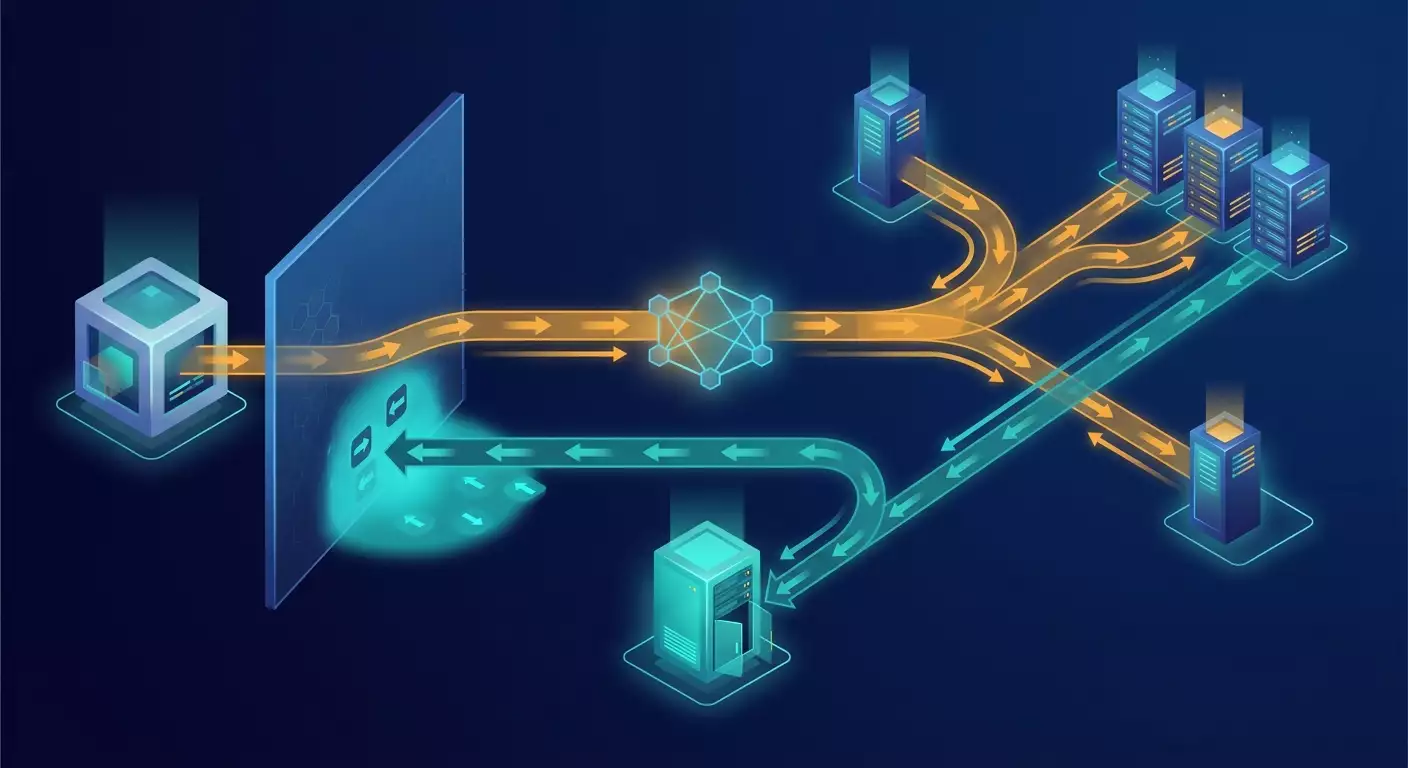
Table of contents
- Introduction: why "i bought a proxy and expected a webhook" never works
- Fundamentals: connection direction, or who knocks on whose door
- Deep dive: why a proxy client doesn't listen on a port and doesn't give you a public address
- Mobile networks and shared addresses: why a subscriber's address isn't externally addressable
- What actually solves the webhook reception problem: four working approaches
- Polling as a webhook replacement: how to design it so you don't hit rate limits
- Where the proxy is still needed alongside webhooks: outbound replies and third-party api calls
- Table of "task — suitable solution"
- Common mistakes: what not to do
- Case studies and results: what it looks like in practice
- Faq: common questions about proxies and receiving webhooks
- Conclusion: the right model and next steps
Introduction: Why "I bought a proxy and expected a webhook" never works
Support inboxes at proxy services get the same question over and over, just phrased differently. "I bought a mobile proxy, put its address into the integration settings, and the payment gateway isn't sending notifications." "I set the proxy IP as the webhook URL in the CRM, and I'm getting a connection error." "My script sees everything through the proxy, but nobody can see me on that same proxy—why?" The wording changes, but the root cause is always the same: a wrong mental model of what a proxy does.
The expectation makes sense. A proxy gives you "another IP address," and that address is public—every IP-checking service shows it. Logic suggests: if I have a public address, people can reach me at it. But that's not how it works. A proxy—including a Proxeon mobile proxy—solves the problem of outbound requests: your code initiates a connection, it goes through the proxy node, and the remote server sees that node's address. The reverse task—when a remote server initiates a connection to you—is something a proxy simply doesn't do. Not because the plan is missing something, but because it works in a fundamentally different way.
In this article, we'll dig to the bottom of it. You'll learn how an outbound connection differs from an inbound one at the TCP level, why a proxy client doesn't open a listening port or give you an address reachable from the outside, why a mobile subscriber's address is by nature not addressable externally, and most importantly, what to actually use to receive webhooks: a server with a public address, a reverse tunnel, an event queue on the provider's side, or a well-designed polling mechanism. We'll also look separately at where the proxy still has its place—and it does. Port forwarding and home router configuration are out of scope: that's a neighboring topic, and we'll only mark the boundary of its applicability.
This article is written for integration developers, DevOps engineers, and technical specialists building automation on top of third-party APIs. Code examples are given in Python and as shell commands, and you can use them as a starting point.
Fundamentals: connection direction, or who knocks on whose door
Let's start with the foundation, without which nothing else makes sense. In TCP/IP networks, every connection has an initiator and a listener. The initiator sends the first packet with the SYN flag. The listener has already opened a port, is waiting on it, and responds with SYN-ACK. Only after this handshake does data flow in both directions. The key word here is "already": the listener must already be on an address routable from the internet, and must already have the port open the moment the initiator decides to knock.
Outbound request through a proxy
Let's picture the flow in text. Your script is at home or in an office behind NAT, or even on a laptop with a mobile modem.
- Step 1. Your script initiates a connection to the proxy node: [your code] knocks on [Proxeon node].
- Step 2. The proxy node initiates a connection to the target site on its own behalf: [Proxeon node] knocks on [api.example.com].
- Step 3. The target site responds over the already-open connection in the reverse direction; the proxy node passes the response back to you over your open connection.
Notice: the server's response is not an inbound connection. It's data going back over a channel you opened. You opened the door, and you're holding it while the exchange happens. Once you close the connection, there's no way back. Nobody outside can "continue the conversation" on their own initiative.
The webhook flow
Now the webhook. A payment provider, messenger, CRM, or marketplace wants to notify you about an event: a payment went through, a message arrived, an order status changed.
- Step 1. The provider takes the URL you specified when subscribing, resolves the domain name to an IP address.
- Step 2. The provider initiates a connection to that address on port 443: [provider's server] knocks on [your URL].
- Step 3. Someone must be listening at that address and port, accept the TLS handshake with a valid certificate, parse the HTTP request, and return a 2xx code.
Here the initiator is the provider. You must be the listener. And here's the question this entire article answers in detail: what address will you give the provider? The proxy address? But the proxy node isn't listening for you. Your home connection address? But it's either private or behind the carrier's NAT. A laptop with a modem? It doesn't even have a routable address.
An analogy that puts everything in place
A proxy is like a courier service for outbound letters. You hand a letter to the courier, they deliver it to the recipient, and the return address on the envelope is the courier company's, not your home. The recipient can put a reply in the same envelope, the courier will come back and hand it to you because they remember who gave them the letter. But if the recipient wants to write to you a week later, they'll write to the company's address. The company will receive the letter and won't know which of thousands of clients it's for. Most likely, it won't even reach the company's mailbox, because there's no inbox there. To receive letters, you need your own mailing address, not an outbound delivery service.
Deep dive: why a proxy client doesn't listen on a port and doesn't give you a public address
Let's go down to the protocol level. There are two major families of proxies: HTTP proxies and SOCKS proxies. Let's see what each can do, and confirm that inbound connections to your service aren't on the list—neither on paper nor in practice.
How an HTTP proxy works
An HTTP proxy accepts a request from the client like GET http://host/path or, for HTTPS, a CONNECT host:443 command. In the second case, the proxy opens a TCP connection to the target host and then simply relays bytes in both directions without looking inside the encrypted traffic. That's it. There's no command in the protocol like "start listening on a port for me" or "register an address for me." The client is always the initiator, the proxy is always an intermediary in the "from client to the world" direction.
Here's a minimal example of an outbound request through a proxy in Python. It works because the direction is correct:
import requests

PROXY = 'http://user:pass@gate.proxeon.net:PORT'
proxies = {'http': PROXY, 'https': PROXY}

r = requests.get('https://api.example.com/v1/status', proxies=proxies, timeout=(5, 30))
print(r.status_code, r.json())
And here's an attempt that's doomed. Suppose you found the proxy's external IP, say through an IP-checking service, and decided to use it as your webhook URL:
curl -v --max-time 10 http://203.0.113.45/webhook
# result: connect() timed out or Connection refused
Why? On 203.0.113.45, the proxy software is listening on its service port to accept commands from clients—but not on your /webhook path. Even if something answered on port 80, it wouldn't be your code. Your code is on another machine, behind another address, and the proxy server has no idea that a request to /webhook should be forwarded specifically to you, rather than to one of hundreds of other clients using the same exit address.
What about SOCKS5 and the BIND command?
This is where it gets interesting—few people know about this. The SOCKS5 spec actually describes three commands: CONNECT, BIND, and UDP ASSOCIATE. The BIND command was designed exactly for the reverse scenario: the client asks the proxy to open a listening port, then accept a single inbound connection and pass it to the client. This is a legacy of FTP in active mode, where the server must connect to the client for data transfer.
You'd think this is the solution. But there are three reasons why BIND won't help you in practice:
- BIND accepts exactly one inbound connection, and only after you've already established an outbound connection to the same host. It's not "listen on a port forever for anyone," but "open the door for one specific counterparty I'm already talking to."
- The vast majority of commercial proxy servers don't implement BIND or disable it for security reasons. An open listening port on a shared node with hundreds of clients is an attack vector and a source of abuse, so it's simply not there.
- Even where BIND exists, addresses and ports are allocated dynamically, for a short time, and are completely unsuitable for registering as a webhook URL with a TLS certificate.
Bottom line: a theoretical possibility exists in the spec, but it offers no practical value for receiving webhooks.
What you get with a proxy, and what you don't
Let's be crystal clear. When you buy a proxy, you get:
- an exit IP address that remote servers see on your outbound requests;
- the geographic and network identity of that address, e.g., an address from a mobile carrier's pool in a specific region;
- the ability to rotate that address or, conversely, keep it stable for the duration of a session;
- separation of outbound traffic across different channels if you run multiple independent integrations.
You don't get:
- a listening port on the exit address;
- a routable address that third parties can initiate connections to;
- a domain name and TLS certificate tied to your service;
- a guarantee that the exit address will be the same an hour later if your plan involves rotation.
Once this table sinks in, the question "why doesn't my webhook arrive at the proxy" stops being a question. It becomes obvious.
Mobile networks and shared addresses: why a subscriber's address isn't externally addressable
Mobile networks deserve a separate discussion, because mobile proxies are most often the heroes of "my webhook isn't arriving" stories. Here, the proxy's own limitations are compounded by the carrier network architecture, and it amplifies the effect many times over.
Address scarcity and CGNAT
There are about four billion public IPv4 addresses in the world, but there are noticeably more active mobile connections. No carrier can give every subscriber their own public address. So carriers use Carrier-Grade NAT (CGNAT). The subscriber device gets a private address from the specially reserved 100.64.0.0/10 range or from the familiar 10.0.0.0/8, and at the network edge there's a powerful NAT gateway that translates thousands of subscriber addresses into one or a few public ones.
What does this look like from an addressability standpoint? When your modem sends a packet out, the gateway writes in its table: "subscriber 100.72.14.9, port 51234 → public address 203.0.113.45, port 40001." A response arriving at 203.0.113.45:40001 will be matched to that entry and routed back to you. But entries are created only by outbound traffic and live for seconds or minutes of inactivity. If someone outside sends a packet to 203.0.113.45 on port 443, there will be no matching entry. The gateway will drop it. Not "block" it—it simply can't figure out which of a thousand subscribers it's for.
Why this is unfixable on the subscriber's side
With a home ISP, it's sometimes different: some plans assign a real public address to the router, and then a neighboring topic arises—port forwarding and router configuration. We deliberately won't cover it, just mark the boundary of its applicability: port forwarding only makes sense where your equipment has a real routable address. In a mobile network, the subscriber simply doesn't have such an address; there's nothing to forward and nowhere to forward it. Configuring equipment won't change that. A public address option for mobile subscribers is either unavailable with most carriers or provided as a separate corporate service—which is no longer relevant to proxies.
Additional layers: rotation and filtering
Two more factors add to CGNAT. First, the public address through which a subscriber exits changes periodically: on reconnection, load rebalancing, or cell tower handover. Proxeon mobile proxies actually use this as a feature: the address can be rotated on a schedule or on demand. But for receiving webhooks, address stability is critical—and here it's absent by definition. Second, carriers filter some inbound traffic at the network edge because subscriber devices aren't meant to be servers. Even where a subscriber gets a public IPv6 address, inbound connections to it are often blocked by the carrier's firewall.
The takeaway of this chapter is worth highlighting: a mobile proxy's address is an outbound identity, not a service address. This isn't a product flaw, it's its nature. Mobile proxies are bought so that outbound requests look like the traffic of an ordinary subscriber of a specific carrier and region. And precisely because that traffic is indistinguishable from subscriber traffic, it has inherited the subscriber's non-addressability from the outside.
What actually solves the webhook reception problem: four working approaches
Let's move from diagnosis to treatment. There are four mature ways to receive events from external systems when your code lives behind NAT, behind a mobile modem, or on a laptop. Each has its niche, its cost, and its limitations. Let's go through them in order with examples.
Approach 1. A server with a public address
The most direct and most reliable way. You rent a virtual server from a hosting provider, get a public IPv4 address with it, point a domain name to it, issue a TLS certificate, and run a receiver. Webhook providers in 2026 almost universally require HTTPS with a valid certificate, so this step is mandatory.
Step-by-step plan:
- Rent a minimal-config VPS in a jurisdiction that suits your data storage requirements.
- Create an A record for a domain like
hooks.yourdomain.tldpointing to the server's address. - Install a web-level reverse proxy (nginx or similar) and issue a certificate via an ACME client.
- Run your receiver app on a local port closed to the world, and point the web server to it.
- Set up signature verification and a processing queue so you can respond to the provider quickly.
Example Flask receiver with HMAC signature verification and a fast response. We defer heavy processing to a queue because most providers wait no more than 5–10 seconds for a response:
import hmac, hashlib, json, os
from flask import Flask, request, abort
from queue import Queue

app = Flask(__name__)
SECRET = os.environ['WEBHOOK_SECRET'].encode()
jobs = Queue()

def valid_signature(raw_body, header_sig):
expected = hmac.new(SECRET, raw_body, hashlib.sha256).hexdigest()
return hmac.compare_digest(expected, header_sig or '')

@app.post('/webhook/payments')
def payments():
raw = request.get_data()
if not valid_signature(raw, request.headers.get('X-Signature')):
abort(401)
event = json.loads(raw)
jobs.put(event) # process in background, respond immediately
return '', 200
Note three details. The signature is verified against the raw request body, not parsed JSON—otherwise any reformatting breaks the check. Comparison uses compare_digest to avoid leaking timing information. A 200 response is sent before processing, and the event itself goes into the queue. If the provider doesn't get a 2xx within the allotted time, it will consider the delivery failed and start retrying—and you'll get duplicates.
Approach 2. Reverse tunnel
If your code must run on your local machine rather than a server, use a reverse tunnel. The idea is elegant and fully consistent with everything we discussed above: your machine itself initiates an outbound connection to a public server, and that server starts listening on a port on your behalf and routes inbound requests into the already-open channel. The initiation direction is outbound, so NAT and CGNAT don't get in the way. The public listener is on the server, so the webhook provider can reach it.
The simplest implementation uses SSH. On the public server, the sshd config must have GatewayPorts enabled or a local web server used as the front. From the local machine:
# local receiver listening on 127.0.0.1:8080
# ask the server to listen on 127.0.0.1:9000 and route traffic to us
ssh -N -R 9000:127.0.0.1:8080 tunnel@hooks.yourdomain.tld

# on the server, nginx proxies https://hooks.yourdomain.tld/webhook -> 127.0.0.1:9000
For production use, a single ssh process isn't reliable enough: the connection can drop. Use a wrapper with auto-reconnect (autossh or a similar supervisor) and enable ServerAliveInterval so drops are detected within seconds. There are also specialized tunnel services and self-hosted solutions built on the same principle, with automatic certificate issuance and a web panel. The principle is always the same: a local agent holds an outbound connection, and the public side receives webhooks.
Keep the limitations in mind. While the tunnel is down, webhooks are lost or go into the provider's retries. Temporary addresses from some tunnel services change on restart, which is unacceptable for production: you need a pinned domain. And a tunnel adds latency and a point of failure. For development and debugging it's an ideal tool; for operations, it's only suitable with monitoring.
Approach 3. Event queue on the provider's side
Many mature APIs offer an alternative to the push model: events are stored in a log or queue on the provider's side, and you fetch them whenever convenient. This flips the connection direction to outbound for you, and the addressability problem disappears entirely.
The canonical example is a messenger's Bot API with the getUpdates method: the server stores unread updates for up to a day, and the client periodically fetches them, passing an offset of the last processed update. Similar mechanisms exist in payment systems as event lists with a cursor, in marketplaces as order change queues, and in cloud providers as managed message queues where you can route webhooks and read them with a client.
import requests, time

TOKEN = 'your-bot-token'
BASE = f'https://api.messenger.example/bot{TOKEN}'
offset = 0

while True:
resp = requests.get(f'{BASE}/getUpdates',
params={'offset': offset, 'timeout': 50},
timeout=60)
for upd in resp.json().get('result', []):
handle(upd)
offset = upd['update_id'] + 1
The timeout=50 parameter here enables long polling: the server keeps the connection open until an event appears or the timeout expires, and you get near-instant delivery without frequent empty requests. This is an outbound connection, and it works fine through NAT, through a mobile modem, and, if needed, through a proxy.
If the provider doesn't offer a built-in queue, you can build one yourself using the first approach: a minimal receiver on a VPS accepts webhooks and puts them into a message queue, and your local machine reads from the queue. This gives you a hybrid that combines the reliability of a public address with the flexibility of local execution.
Approach 4. Polling instead of subscription
When the provider has neither webhooks nor an event queue, the classic approach remains polling state: you periodically request the resource and compare it with the previous state. This is the most universal approach because it requires nothing from the provider beyond a regular read API. But it's also the most demanding to design: a naive loop with a fixed interval quickly hits rate limits, wastes budget on empty responses, and is late with events. The next section is entirely dedicated to avoiding this.
Tools that come in handy
- A front-end web server (nginx or equivalent) for TLS termination and routing to the app.
- An ACME client for automatic certificate issuance and renewal.
- A message queue (Redis Streams, RabbitMQ, or a managed cloud queue) to buffer events between receipt and processing.
- A tunnel supervisor with auto-reconnect for reverse tunnels.
- A local request inspector for debugging: any minimal HTTP server that logs headers and body will help you see exactly what the provider sends.
- A Proxeon proxy for outbound calls to third-party APIs from your handlers—more on that below.
Polling as a webhook replacement: how to design it so you don't hit rate limits
Polling gets criticized for being wasteful, and often deservedly so. But it's not polling itself that's wasteful—it's a poor implementation. A well-designed poller puts API load on par with webhooks and is actually more reliable because it doesn't depend on inbound connection deliverability. Let's go through the principles.
Principle 1. Cursor instead of full fetch
Never request "all orders" and look for changes on your side. Use parameters like since, updated_after, cursor, or page_token, which exist in almost every modern API. Persist the last cursor so that a process restart doesn't cause a full history re-fetch. A cursor-based response is small, processed quickly, and doesn't put load on the provider.
Principle 2. Conditional requests
If the resource supports ETag and If-None-Match headers or Last-Modified and If-Modified-Since, use them. A 304 Not Modified response has no body and often doesn't count against the limit or counts at a preferential rate. It's a free way to cut traffic by multiples.
Principle 3. Adaptive interval with jitter
A fixed interval is bad twice over: during quiet hours it wastes requests, during peaks it's late. An adaptive scheme is simple: after an empty response, increase the interval (e.g., multiply by 1.5 up to a ceiling); after a non-empty one, reset to the minimum. Add random jitter of 10–20 percent so multiple instances don't hit the API simultaneously.
Principle 4. Respect server signals
Retry-After, X-RateLimit-Remaining, and X-RateLimit-Reset headers exist for a reason. On a 429, wait exactly as long as told. If the remaining quota drops below a threshold, slow down preemptively. This isn't just politeness—it's protection from temporary key blocks.
Principle 5. Idempotent processing
Polling by nature can return the same event twice: at the cursor boundary, after a failure, when windows overlap. Every event should have a unique ID, and the handler should have a table of already-processed IDs with a reasonable retention period. This same rule protects you from duplicate webhooks on redelivery.
A ready-made adaptive poller skeleton
import random, time, requests

MIN_INTERVAL, MAX_INTERVAL = 5, 300
interval = MIN_INTERVAL
cursor = load_cursor() # from DB or file
etag = None
seen = SeenStore(ttl_hours=48) # processed ID store

while True:
headers = {'If-None-Match': etag} if etag else {}
r = requests.get('https://api.example.com/v1/events',
 params={'cursor': cursor, 'limit': 100},
 headers=headers, timeout=(5, 30))

if r.status_code == 429:
time.sleep(int(r.headers.get('Retry-After', 60)))
continue
if r.status_code == 304:
interval = min(interval * 1.5, MAX_INTERVAL)
elif r.ok:
etag = r.headers.get('ETag')
events = r.json()['data']
for ev in events:
if not seen.contains(ev['id']):
handle(ev)
seen.add(ev['id'])
if events:
cursor = r.json()['next_cursor']
save_cursor(cursor)
interval = MIN_INTERVAL
else:
interval = min(interval * 1.5, MAX_INTERVAL)

remaining = int(r.headers.get('X-RateLimit-Remaining', 1000))
if remaining < 50:
interval = max(interval, 60)

time.sleep(interval * random.uniform(0.9, 1.2))
Polling design checklist
- Cursor or timestamp is persisted and survives restarts.
- Conditional requests are used if the API supports them.
- The interval is adaptive, with a ceiling and jitter.
- The 429 code and Retry-After header are explicitly handled.
- Each event is processed idempotently by unique ID.
- Connection and read timeouts are explicit and separate.
- Metrics: request rate, share of empty responses, delay from event to processing.
- If the provider supports long polling, it's enabled and regular polling is off.
With this design, a poller with a minimum interval of 5 seconds idles out to a 5-minute interval and makes around 300 requests per day per resource. That's dozens of times fewer than a naive loop every 10 seconds, which makes 8,640 requests per day with the same average delivery delay during active hours.
Where the proxy is still needed alongside webhooks: outbound replies and third-party API calls
It would be wrong to end on the note that "the proxy has nothing to do with webhooks." It does, very specifically—just on the other side of the flow. After receiving an event, your handler almost always makes outbound requests: confirming the operation, fetching order details, sending data to another system, notifying the user. All these requests are outbound, and this is where the proxy earns its keep.
Scenario 1. Verifying an event with a callback request
A good security practice: don't blindly trust the webhook body—after verifying the signature, fetch the object from the provider by its ID. This request goes from your server to the provider's API. If the provider imposes regional restrictions or does behavioral analysis on the request source, a stable exit address from the right region via Proxeon makes the traffic pattern predictable.
Scenario 2. Third-party API calls from the handler
A marketplace webhook handler might call a delivery service API, a counterparty verification service, a mapping API. Each has its own per-IP rate limits. Spreading integrations across different exit addresses isolates them from each other: exhausting one integration's limit doesn't paralyze the rest.
Scenario 3. Separating the identity of outbound traffic
When one server serves several independent clients or projects, it's useful for their outbound traffic to external APIs to come from different addresses. This simplifies diagnostics (you can tell whose request it is by the address) and reduces the risk that one project's issues affect others.
Example: receiver directly, outbound through proxy
The main rule: the webhook receiver listens directly on a public address, and the proxy is used only for outbound calls. Don't try to "wrap" the receiver in a proxy—it's pointless for all the reasons discussed above.
import requests
from flask import Flask, request

app = Flask(__name__)

OUT_PROXY = 'http://user:pass@gate.proxeon.net:PORT'
outbound = requests.Session()
outbound.proxies = {'http': OUT_PROXY, 'https': OUT_PROXY}

@app.post('/webhook/orders')
def orders():
event = request.get_json()
# receiving is direct, without a proxy
order_id = event['order_id']
# outbound verification and third-party API calls - through the proxy
full = outbound.get(f'https://api.marketplace.example/orders/{order_id}',
timeout=(5, 20)).json()
outbound.post('https://api.delivery.example/shipments',
 json={'order': full}, timeout=(5, 20))
return '', 200
A few practical notes. Keep a separate Session for outbound calls so proxy settings don't leak into other parts of the app. Set timeouts explicitly: the path through a proxy is longer, and a hung outbound call shouldn't delay your response to the webhook provider. Ideally, make outbound calls not in the HTTP request handler but in a background worker that reads from the queue. And if a third-party API requires whitelisting your address, use a plan with a static exit address, not a rotating one.
Table of "task — suitable solution"
Let's put it all together in a single reference. For each typical task, it shows whether a proxy solves it, and what to use instead of or alongside it.
- Task: make outbound requests to external APIs from a specific region or carrier. Solution: Proxeon proxy, static or rotating plan depending on requirements. Role of proxy: primary.
- Task: receive webhooks from a payment gateway in production. Solution: VPS with a public address, domain, TLS, receiver with signature verification and a queue. Role of proxy: only for outbound calls from the handler.
- Task: debug webhook reception on a developer's local machine. Solution: reverse tunnel to a public server with a pinned domain. Role of proxy: none.
- Task: receive events from a messenger or API with a queue, with code running at home or behind a mobile modem. Solution: long polling via getUpdates-style methods, reading from the provider's queue. Role of proxy: optional for outbound requests.
- Task: monitor API changes without webhooks or queues. Solution: adaptive polling with a cursor, conditional requests, and rate limit respect. Role of proxy: distribute load across exit addresses within provider limits.
- Task: receive webhooks on a computer connected via a mobile modem. Solution: impossible directly due to CGNAT; use a reverse tunnel or a queue. Role of proxy: none.
- Task: multiple integrations on one server shouldn't interfere with each other's third-party API limits. Solution: separate Proxeon exit addresses per integration plus separate queues. Role of proxy: primary for the outbound part.
- Task: a third-party API requires whitelisting your address. Solution: static exit address; for receiving webhooks—your server's public address. Role of proxy: static plan for the outbound part.
- Task: get a public address on a home router. Solution: a neighboring topic, depends on your home ISP; only applicable if your equipment has a real public address. Role of proxy: none.
Common mistakes: what not to do
Let's collect the most common pitfalls. Some cost hours of debugging, some cost lost payments.
Mistake 1. Using the proxy address as the webhook URL
Discussed in detail above, but let's repeat: there's no listener of yours on the proxy's exit address. The provider will time out or get a connection refused, and after several failures will disable the subscription. Some providers block URLs for a long time on repeated errors.
Mistake 2. Using a local or private address
A URL like http://192.168.1.10:8080/hook or http://localhost/hook is only routable within your network. The provider physically can't reach it. Many providers reject such URLs at subscription registration, but not all.
Mistake 3. A self-signed certificate or plain HTTP
Webhook providers verify certificates. A self-signed or expired certificate leads to silent delivery failures. Plain HTTP without TLS is disallowed by most providers entirely.
Mistake 4. Long processing inside the HTTP handler
If the handler fetches data from three external APIs and writes to the database before responding to the provider, it easily exceeds the wait timeout. The provider considers the delivery failed and retries. You process the same event multiple times. The response should go out in hundreds of milliseconds; processing goes into the queue.
Mistake 5. No idempotency
Redeliveries are the norm, not the exception. Without tracking processed IDs, you'll create an order twice, send a notification twice, or post a debit twice in your accounting system.
Mistake 6. Blind trust in the webhook body
A public URL is available to everyone. Without signature verification, anyone can send you a fake "payment succeeded" event. Verify HMAC, and for critical operations, fetch the object from the provider.
Mistake 7. A temporary tunnel address in production
A randomly generated tunnel service domain changes on restart. The provider's subscription remains tied to the old URL. Events are lost until someone notices. In operations, a tunnel is acceptable only with a pinned domain and monitoring.
Mistake 8. Polling with a fixed short interval
Once a second without a cursor and conditional requests is a direct path to 429s and a temporary key block. Worse, when blocked, you stop receiving anything at all, and delivery delay becomes infinite.
Mistake 9. Skipping timeouts on outbound calls through the proxy
A proxy adds an intermediate node. Without explicit timeouts, a hung outbound call holds the worker, and if made inside an HTTP handler, it also breaks the response to the provider. Always set connection and read timeouts separately.
Mistake 10. Expecting SOCKS5's BIND command to make you a server
Seen among those who read the spec. On commercial nodes, the command is usually not implemented, and where it is, it gives a single connection for a short time. Not suitable for webhooks.
Case studies and results: what it looks like in practice
Three stories assembled from typical integration development situations. The numbers are rounded, but the orders of magnitude are real.
Case 1. Payment notifications for an online store
A small team was building a store on a website builder and writing a Python payment handler that ran on an office computer behind a mobile modem. In the payment provider's settings, they put the mobile proxy address, since "it's public anyway." The provider retried delivery on a schedule of 1, 5, 30 minutes, 2 hours, then disabled the subscription. In a week, about 40 orders accumulated in "awaiting payment" status despite payments actually going through, requiring manual reconciliation.
Solution: a minimal VPS was rented, a receiver with signature verification and a Redis queue was set up, the handler remained local and reads from the queue via an outbound connection. Additionally, an hourly reconciliation poll of payments for the last day with a cursor catches events missed due to any failures. Result: no discrepancies between provider and accounting for the next three months, with an average time from payment to order status change of 1.2 seconds.
Case 2. A support bot on a laptop with a modem
A developer was writing a bot for an internal team and wanted to run it from a laptop connected via a mobile modem. Registering a webhook on the proxy address predictably failed. Switching to long polling via getUpdates with a 50-second timeout solved the problem in half an hour: the connection is outbound, and neither the modem nor CGNAT gets in the way. Request usage is around 1,700 per day at full idle, which is negligible for that API. For debugging integration with an external CRM that only supports webhooks, a reverse SSH tunnel to a rented server with a pinned domain was set up, and in production the receiver moved to the server itself.
Case 3. Monitoring order statuses on a marketplace without webhooks
An operator of several marketplace stores was tracking order statuses via an API that had no webhooks. Naive polling every 10 seconds per store produced about 50,000 requests per day and regularly hit 429s. After redesigning along the principles from the sixth section (updated_after cursor, adaptive interval from 15 seconds to 10 minutes, Retry-After handling, idempotency by order ID), load dropped to about 4,000 requests per day—more than 12 times lower—while the average change detection delay during business hours stayed within 20 seconds. Outbound calls to the marketplace API and to the delivery service API are spread across separate Proxeon exit addresses so that one integration's limits don't affect another and so the source address in logs immediately shows which store initiated the request.
FAQ: common questions about proxies and receiving webhooks
If I have a static dedicated proxy IP, can I receive webhooks on it?
No. A static address solves the predictability question for outbound requests and for allowlists on third-party APIs. But there's still no listening port with your code on that address: the proxy software runs there, not your receiver. To receive, you need a server you control.
Why do IP-checking services show a public address if it's not externally addressable?
The checking service sees the source address of the incoming request—i.e., the address of the carrier's NAT gateway or proxy node. That's the address traffic exits from, not the address where you can be reached. Being visible from the outside and being able to initiate a connection to it are different properties.
Can I receive webhooks through SOCKS5 with the BIND command?
In practice, no. The command is described in the spec, but on commercial nodes it's usually not implemented for security reasons, and where it is, it accepts one inbound connection for a short time after an outbound connection to the same host. It's inapplicable for registering a permanent webhook URL with TLS.
How is a reverse tunnel different from port forwarding on a router?
Port forwarding only works if your equipment has a real public address: the router accepts an inbound connection and passes it inside the network. A reverse tunnel doesn't require a public address on your side at all: your machine initiates an outbound connection to a public server, and that server listens on your behalf. In mobile networks with CGNAT, the first method is fundamentally unavailable; the second works.
Is a reverse tunnel reliable for production?
Under these conditions: a pinned domain, auto-reconnect, connection liveness checks, drop monitoring, and buffering on the public side during downtime. Without these, a tunnel is fine for development but not for operations. For critical integrations, it's more reliable to place the receiver directly on a public server.
Is polling really not worse than webhooks in terms of latency?
Long polling gives latency comparable to webhooks: the event arrives the moment it appears. Regular adaptive polling gives latency from the minimum interval during active hours to the maximum during quiet times. For many business processes, a 15–30 second delay is acceptable. Webhooks, meanwhile, depend on inbound connection deliverability and require a reconciliation mechanism in case of losses—so in real systems, polling often complements webhooks rather than losing to them.
Do I need a proxy if I already have a VPS with a public address?
For receiving webhooks, no. For outbound requests from handlers, it's useful when a third-party API is sensitive to the source region, when you need to isolate different integrations' limits by address, or when requests need to look like mobile subscriber traffic from a specific carrier. That's a separate task, solved with a separate tool.
How do I make sure the provider is even trying to deliver the webhook?
Most providers keep a delivery log with response codes and error reasons. Check it first: it will show whether the domain resolves, whether TLS is established, what code your server returned, and how many milliseconds it took. For local diagnostics, run a minimal HTTP server that logs headers and body, and point a tunnel at it.
What if the provider requires a response in 3 seconds but processing takes 10?
Split receipt and processing. The receiver verifies the signature, puts the event into a queue, and responds 200 in tens of milliseconds. A worker reads from the queue and processes the event as long as needed, making outbound calls to third-party APIs—through a proxy if necessary—with explicit timeouts and retries.
Conclusion: the right model and next steps
If you boil the article down to one thought, it's this: a proxy changes where you go out into the network from, but it doesn't create a place where people can come in to you. Connection direction is a fundamental property, and no pricing plan can flip it. A Proxeon mobile proxy makes your outbound requests look like subscriber traffic from a specific carrier, and that's exactly why it inherits the subscriber's non-addressability from the outside: behind CGNAT there are no listening ports, and the address changes by the nature of the network.
Receiving webhooks is solved with tools from a different class. A public server with a domain and TLS is the baseline for production. A reverse tunnel is for development and for cases where code must run locally. An event queue and long polling on the provider's side are the most elegant option when the provider offers them. Adaptive polling with a cursor, conditional requests, and respect for limits is the universal fallback that, with good design, matches webhooks in practical value.
And the proxy comes back into the picture where it belongs: in outbound calls from handlers, in verifying events with a callback request, in isolating different integrations' limits by exit address. The receiver listens directly, outbound goes through the proxy—this formula covers the vast majority of real-world tasks.
What to do after reading this
- Open the settings for each of your webhook subscriptions and check where the URL points: to a server you control, listening on port 443 with a valid certificate.
- Make sure the receiver responds quickly and processing is offloaded to a queue; verify that signature verification and processed-ID tracking are in place.
- For integrations without webhooks, rewrite polling according to the checklist from the sixth section and measure how request count and latency changed.
- Review outbound calls from your handlers: where you need a stable regional address or limit isolation, connect a proxy with a separate session and explicit timeouts.
- Add a reconciliation poll as a safety net for critical webhooks: hourly, request events for the last interval and compare with processed ones.
Separating tasks into outbound and inbound isn't pedantry—it's a way to stop spending hours debugging something that can't work by definition and start spending them on what will work.